MHI2 EU conversion
MHI2 EU conversion
:::tip
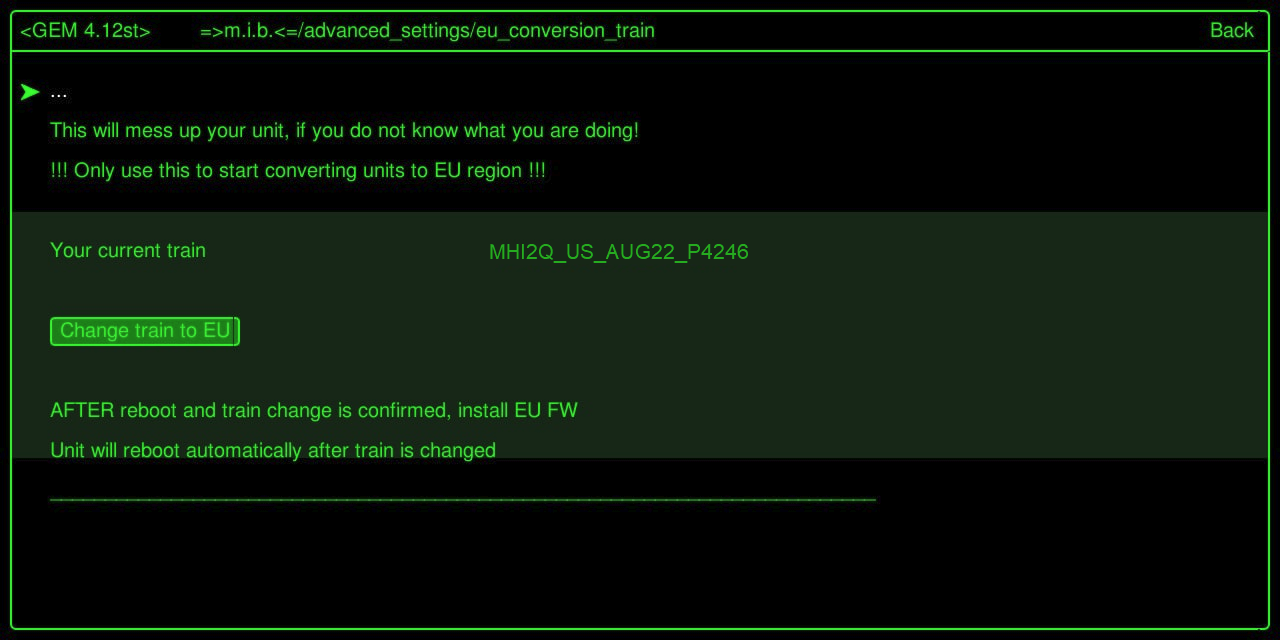
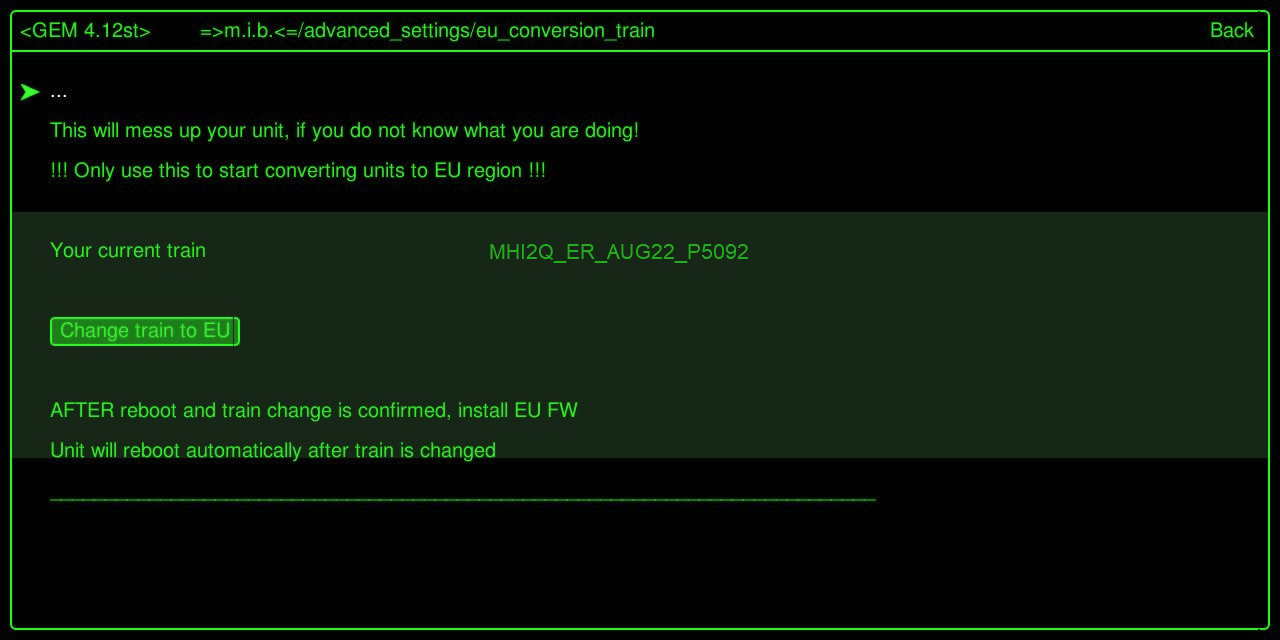
In this example an unit with US FW train MHI2Q_US_AUG22_P4246 will be converted to EU FW train MHI2Q_ER_AUG22_P5092
:::
:::info Select target FW based on the train on your non US unit.
In case you are not sure which train is the fitting EU one, run "Change train to EU" function in M.I.B. and check the train that was chosen by the script. Download that FW and prepare SD card.
:::
Preparation:
- Get latest M.I.B beta v3.1.0 and prepare 1st SD card → MIBSD
Install M.I.B. as usual on your unit and make a backup!
2. Get target EU FW (MHI2Q_ER_AUG22_P5092_MU1329 (A4-A5-Q5-Q7).7z) and prepare 2nd SD card → FWSD
Step 1 - change train to EU
:::tip MIBSD is entered into SD1 slot
:::
Enter GEM and use M.I.B to change train to EU version.
Change train to EU function will automatically select the right EU train, change eeprom and reboot unit.
After reboot the menu will show the new EU train
Step 2 - install EU FW
:::tip MIBSD is entered into SD1 slot
:::
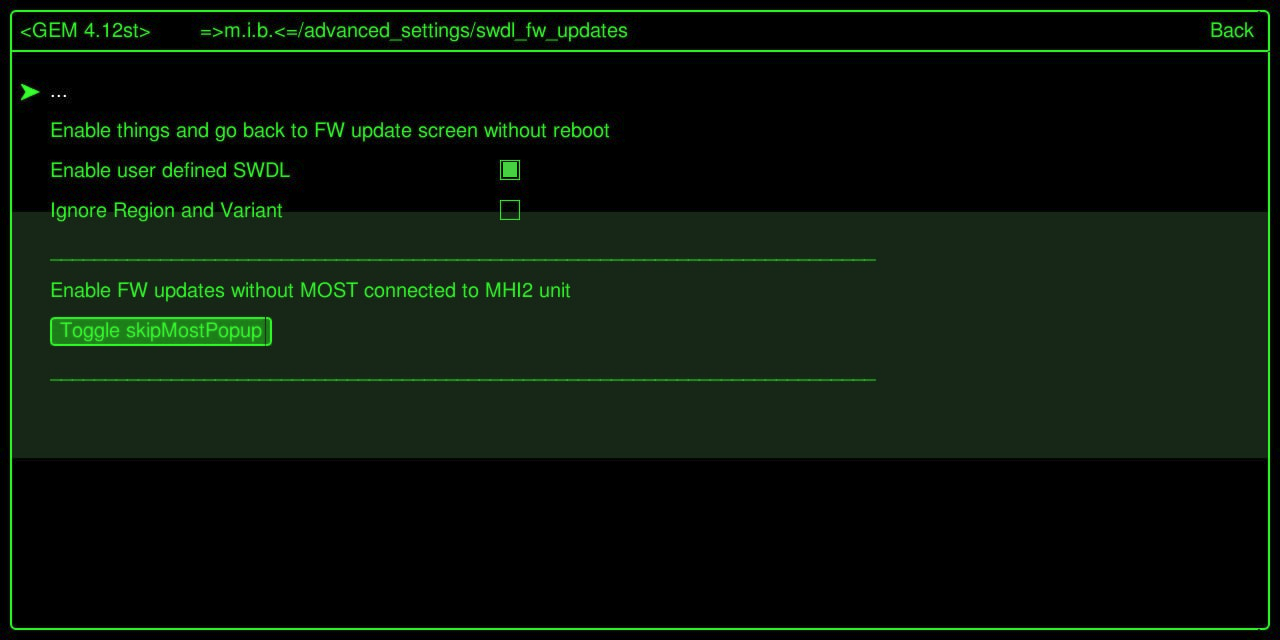
Enter GEM and select "Enable user defined SWDL"
Optional
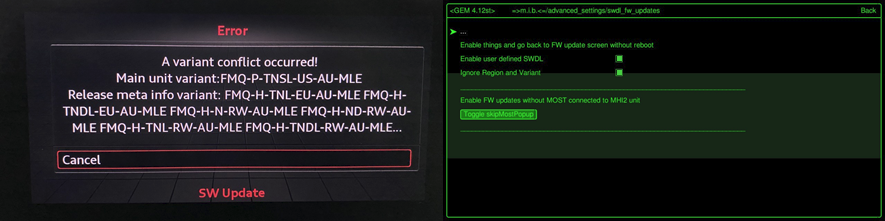
Exit GEM - NO reboot
:::tip remove MIBSD
insert FWSD into SD1 slot
:::
Enter red menu
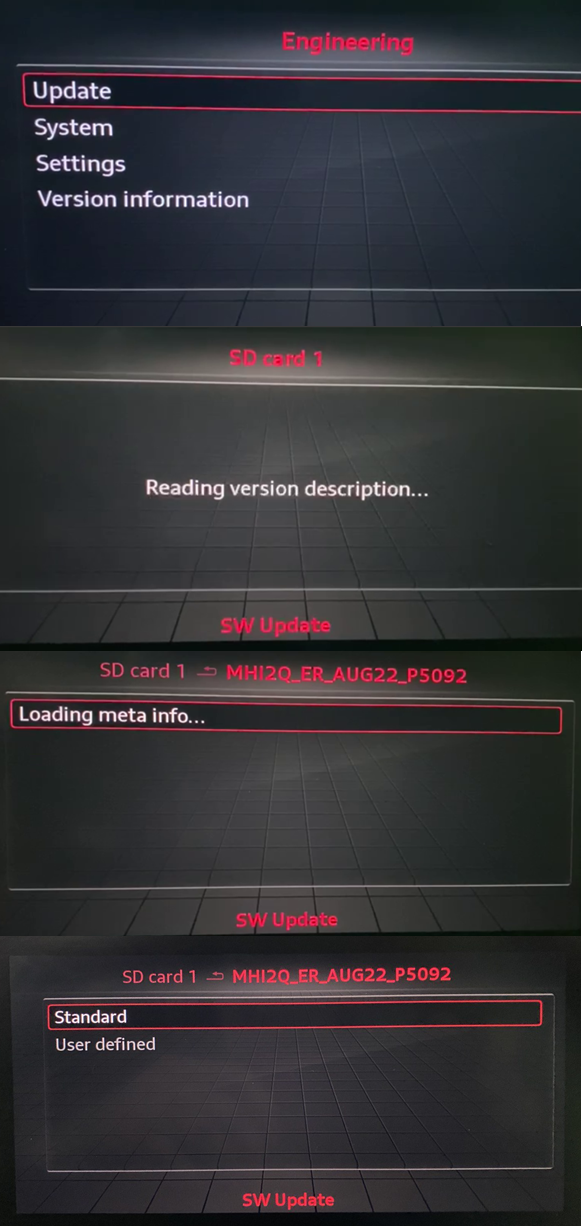
Step 3 - apply EU coding to Unit
:::tip MIBSD is entered into SD1 slot
:::
Enter GEM and select:
- "Apply 1-Click EU coding"
All relevant cosing (long cosing and adaptions) will be changed to EU settings. 2. "Press to save changes" 3. "Reboot Unit"
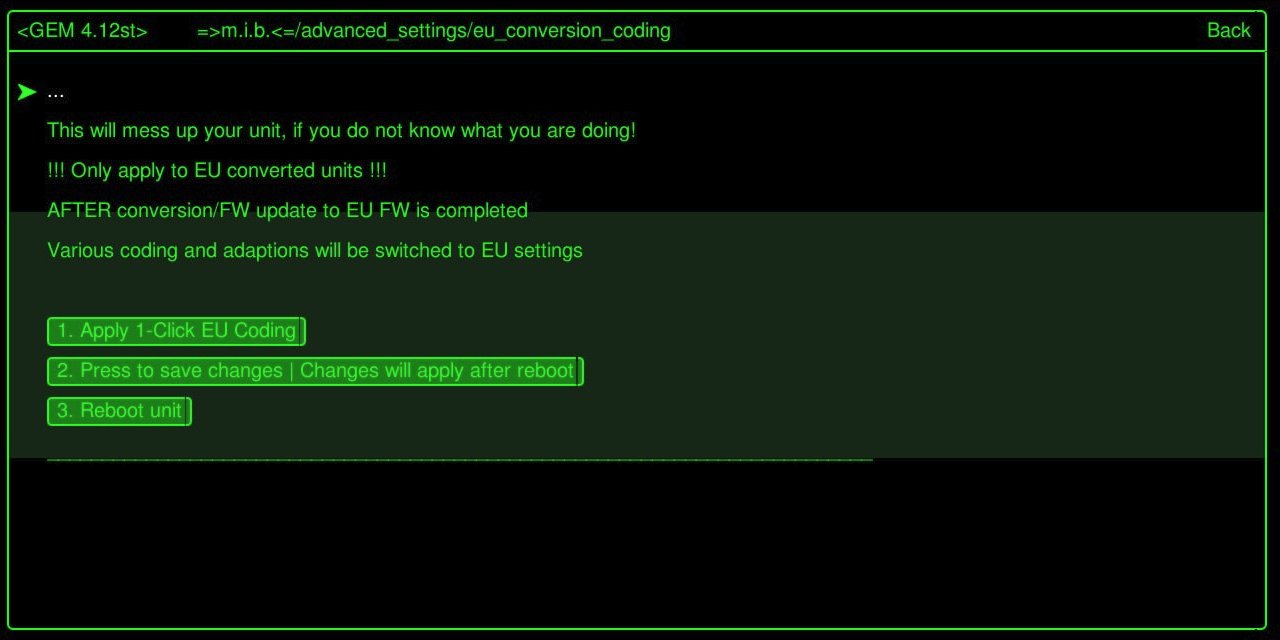 Step 4
When eu conversion coding step 1 - 2 - 3 done, you should to go to MMI Settings / Factory Settings / Select All / Factory Reset
All good, enjoy like always!