5NA980611 Wireless Charger Retrofit PQ/MQB
The idea is to have the Original VW Wireless Charger in my Passat B7 (EU). This guide will apply to a lot of other cars as well. Just a reminder that my Car is based on VW´s PQ Platform, so a few things might differ on your car.
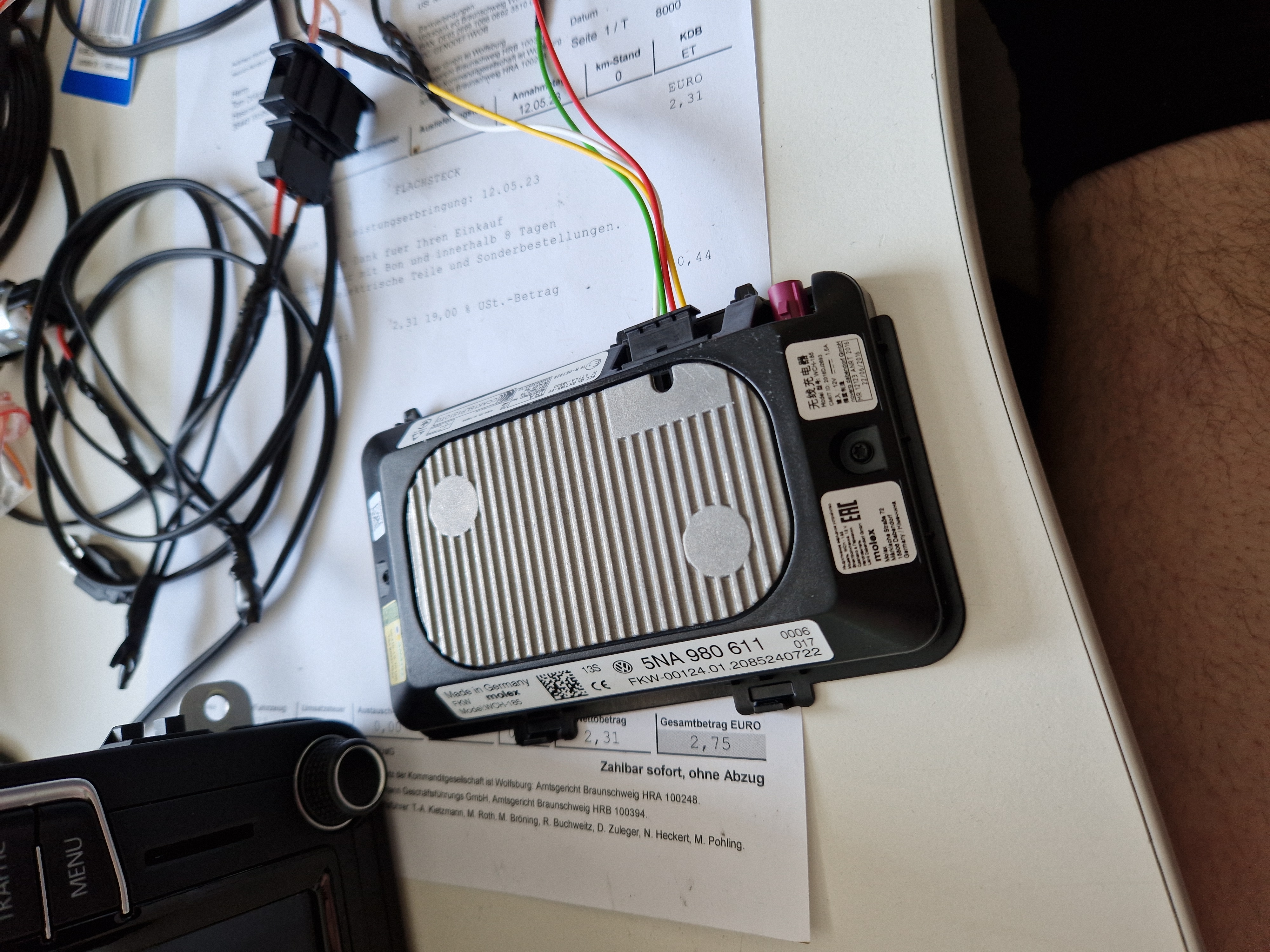
The following things will be needed:
5NA980611- Wireless Charge Pad/Antenna bought from eBay DE for 25€4B0971978B- Connector (6-Pin) for the Wireless Charger \~3€ at VW DE5H1863330B 9B9- Rubber Mat that your phone doesn´t slide around (A lot of different mats will do the job but thats a OEM part that´s almost square. Maybe you find a better one. \~7€ at VW DE- 6x/8x Pins or pinned cables with 33-0177 pins. I bought some pre-pinned 0,50mm² wires for the jobs. 6x for PQ, maybe 8x for MQB.
- About 5m of copper wires, either 0,50mm² or 0,75mm², depending on the position where you want to fit the charger.
Pinout of the Wireless Charger:
Pin 1= 12vPin 2= Data to MIB main Unit → MIB2 Gray/White ConnectorPin 5Pin 3= Data to MIB main Unit → MIB2 Gray/White ConnectorPin 11Pin 4= Ground- (
Pin 5= BCM - MQB)
\
\
\
\
\
Installation of the wiring:
So for my particular fit, i did the following. Yours might differ.
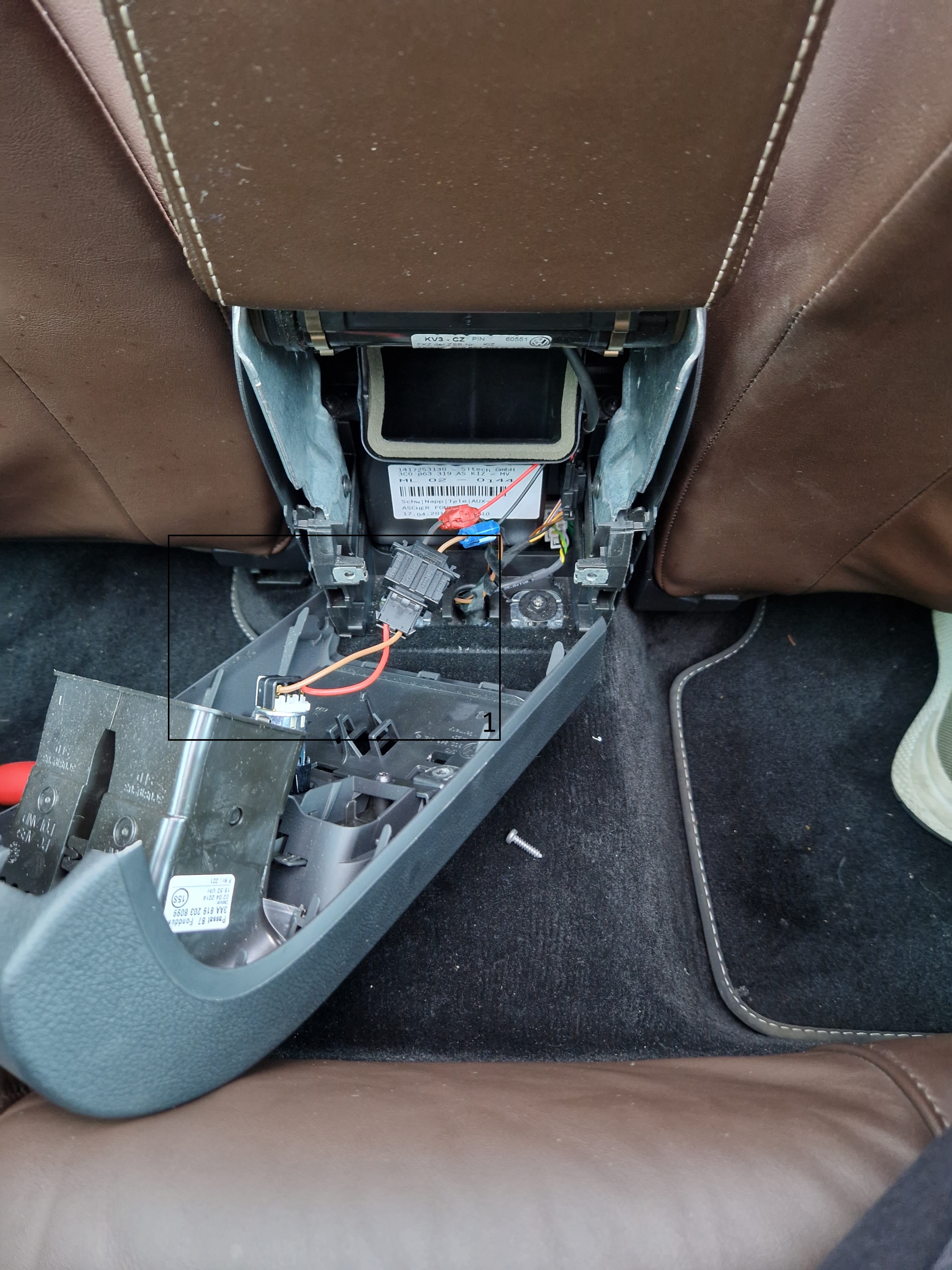
Removed the rear part of my center console. Took out the little harness that connects to the rear-seat 12v outlet.
Cut both positive and ground wires and soldered a junction to two wires, about 20cm long to the installation location of the wireless charger. See 1 on the picture above. This will create the 12v supply for the wireless charger. Keep in mind to create the wiring in parallel and not serial, otherwise you will have a lot of issues down the road.
For the Data Part, you need to run wires from the install location of the wireless charger to the MIB Main Unit. In my case i just ran the wires through the center console and then ended up in MIB2 Unit.
You have to remove the quadlock from the MIB Main Unit. remove the Gray/White connector, you do this by pushing up the flap and just pushing it to the back of the quadlock connector.
As already stated above, it might be required to connect Pin 5 to the BCM. Since i haven´t done the retrofit to a MQB car, i don´t know if that´s really required. Just read it on some drive2.ru articles. Please do your own research on that and feel free to add it here :) .
What is the Data connection for?
Basically the wireless charger needs communication to MIB2 main Unit for a few things. The MIB Unit sends a signal to the charger to allow charging, when ignition is on. ==If MIB2 doesn´t have Ignition signal, the charger will not work, not even with permanent 12v supply.== Also the charger can send back a signal if there is a phone charging. Additional coding is required for that.
How to mount the charger in a Passat B7?
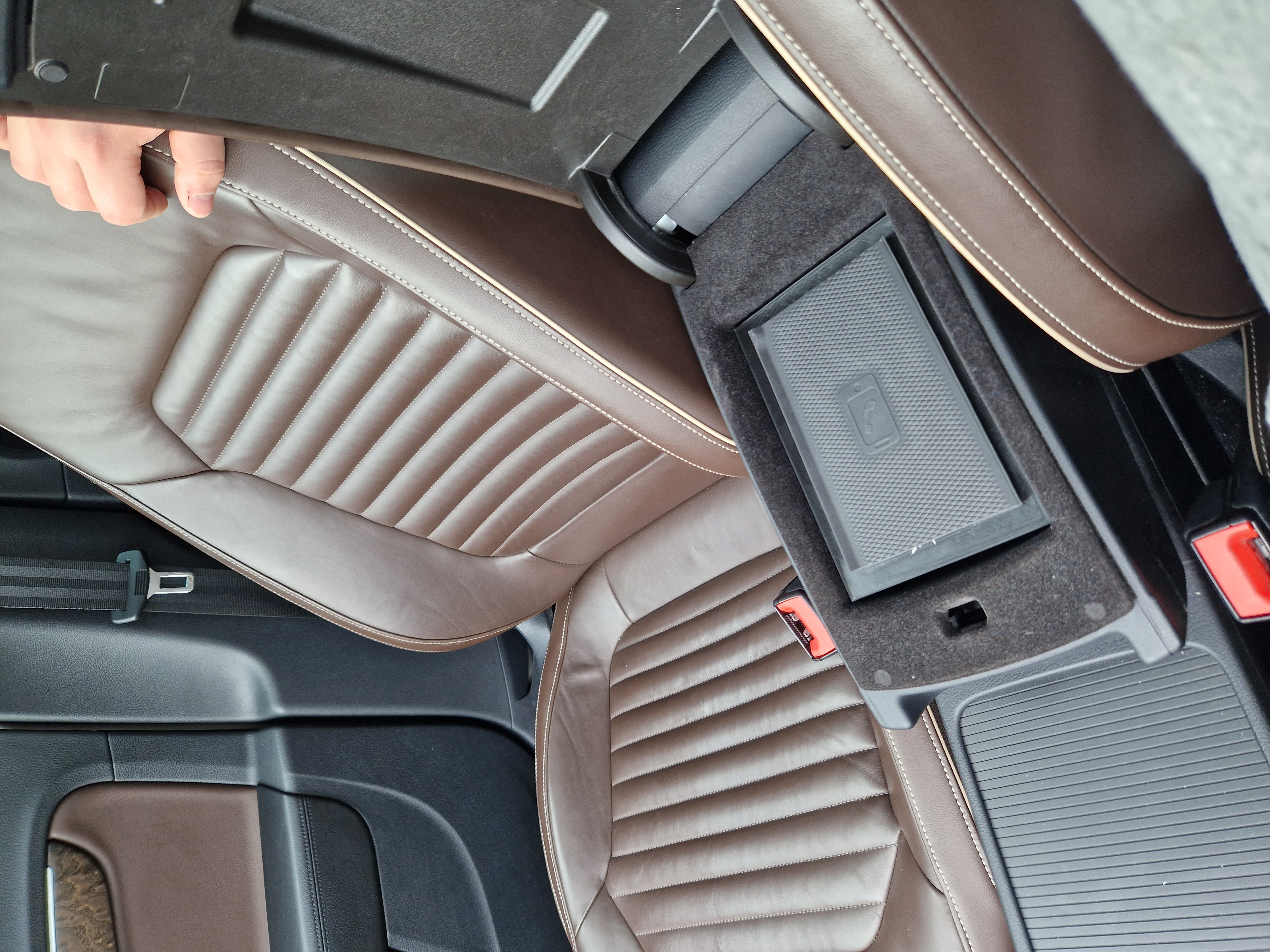
The following part is specific for the Passat B7 only. Probably not applicable for any other vehicles than the Passat B7 and CC with the "multi layer armrest". 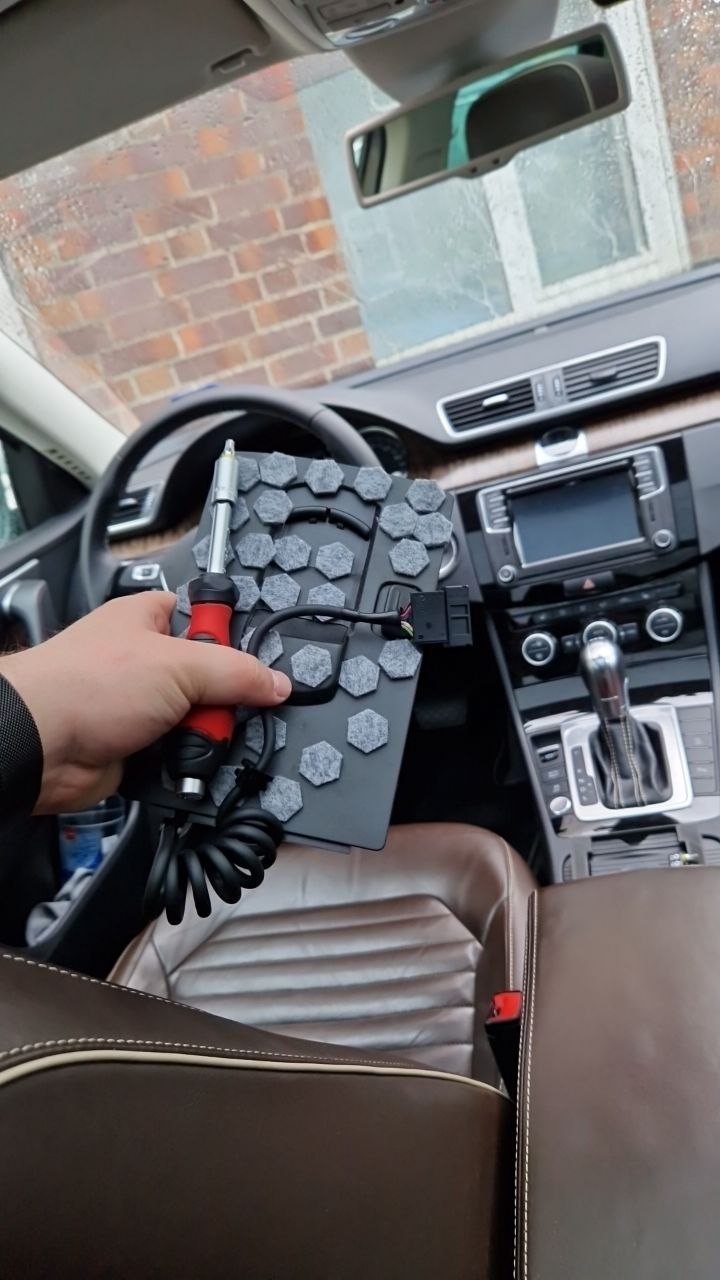
I decided the best spot in my car would be in the upper part of the armrest compartment. From factory there should be a adapter in there where you can add a VW phone adapter. This was only for RNS System with the phone/bluetooth module below the passenger seat. Since i got rid of that stuff after the MIB2 PQ retrofit i wouldn´t need that phone adapter thing anymore. Removing it is pretty easy. There are two screws on the bottom of the tray, you remove them and then just push up the whole plate from the bottom. Disconnecting the wire is done from the back of the center console. Remove the backplate with the vents and follow the cable that comes in from top. Unplug it and then remove it from the top.
\
\
\
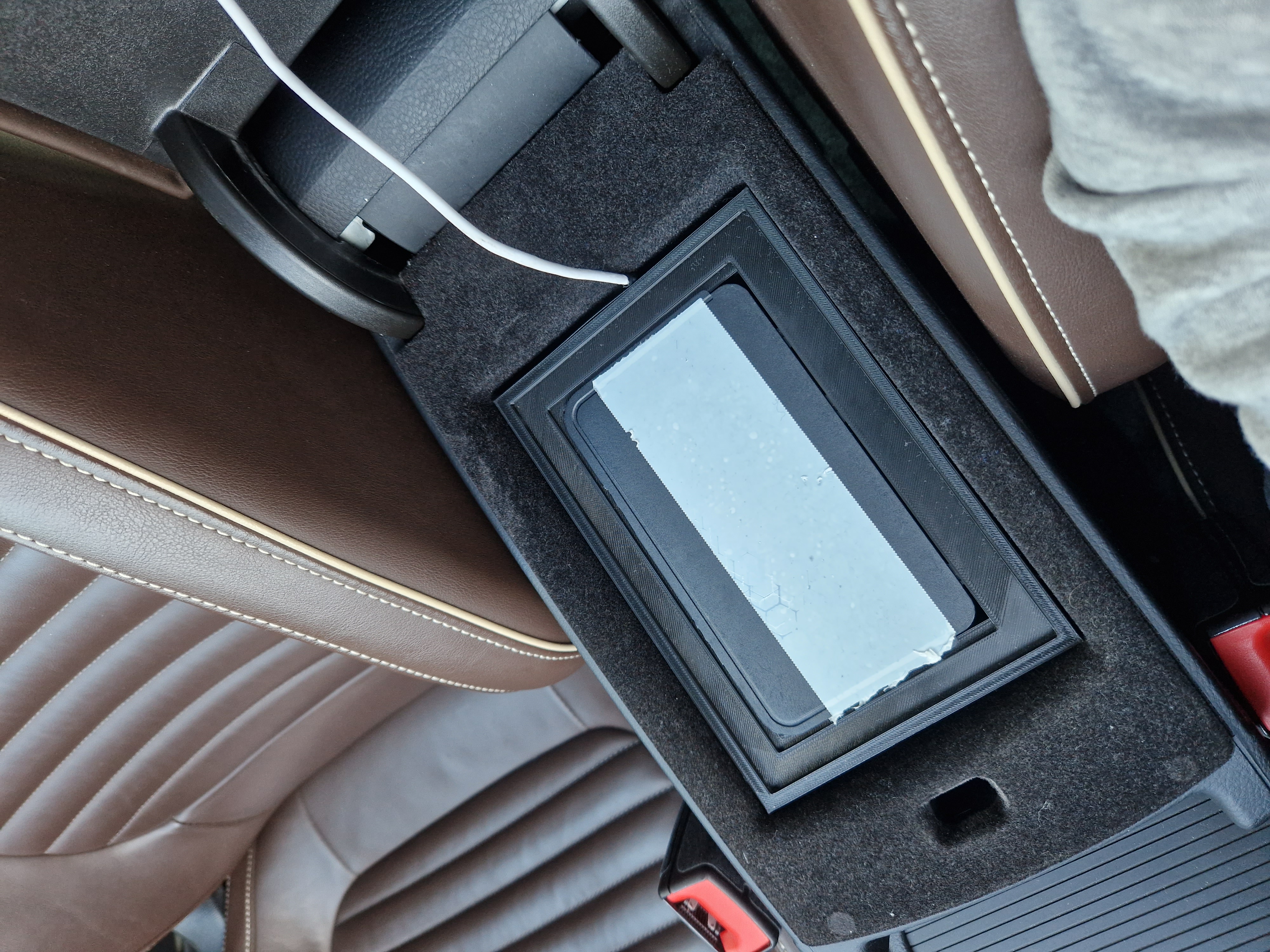
\ Then just run your wiring harness up in the compartment so that the 6-pin plug is up there.
I created a 3D-Printable model for this usecase. Just place it in the compartment, plug in your 6-pin connector to the charger and place the charger in the adapter.
Then just place some double sided tape on the charger and add the wireless charging mat to it.
If you want to use this Adapter, you have to cut off the two holders of the one side.
\
\
\
\
\
Coding:
Module 5F:
Long Coding → Byte 15 → Enable Bit 5
Maybe more if you want to use antenna.
Future Plans:
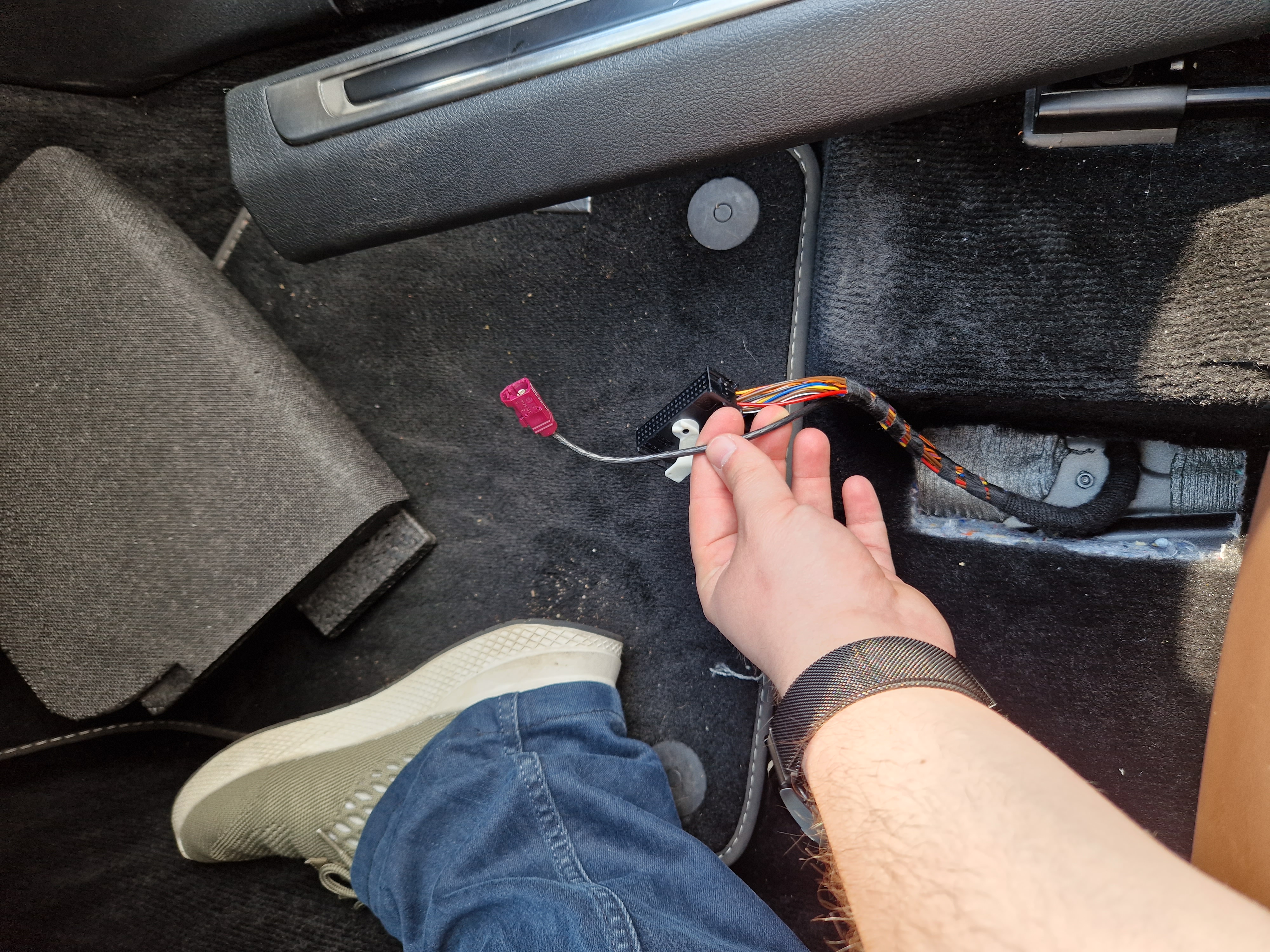
Maybe get the GSM Antenna to work. Since the car was originally equipped with a SIM Slot, i already have a GSM Antenna on the roof. The end of the plug is on the passenger seat and i am thinking about connecting the antenna to the wireless charger since it can be used to improve your phones GSM signal.
\
\
\
\
\
\
\
\ If you need help with this retrofit, a 3D Model for your car or a wiring harness, feel free to contact me on Telegram @Passatboi
\