MHS2 activator by Congo
:::info
When MMI Radio Plus/Navigation (MHS2 unit) boots it runsdlphi.sh from the root of SD card. This allows to run MHS2 activator made by Congo.
:::
- Format quality SD card in FAT32 with the lowest
Allocation unit sizepossible (usually 4096 bytes).==(====NO== ==micro sd card + adapter!)== - Unzip activator into the root of SD card so you see dlphi.sh there.
- Turn the ignition on
:::warning Make sure that the car key will not leave the vehicle during the firmware update procedure (learn more about Kessy and updates.
:::
4. Remove all SD cards from SD slots
5. Set the Infotainment system screen to RADIO,
6. Make sure that the system fully loaded (5 minutes to be safe),
7. Insert the SD card into SD1 slot and wait. Activator will start automatically and you should see a screen like:
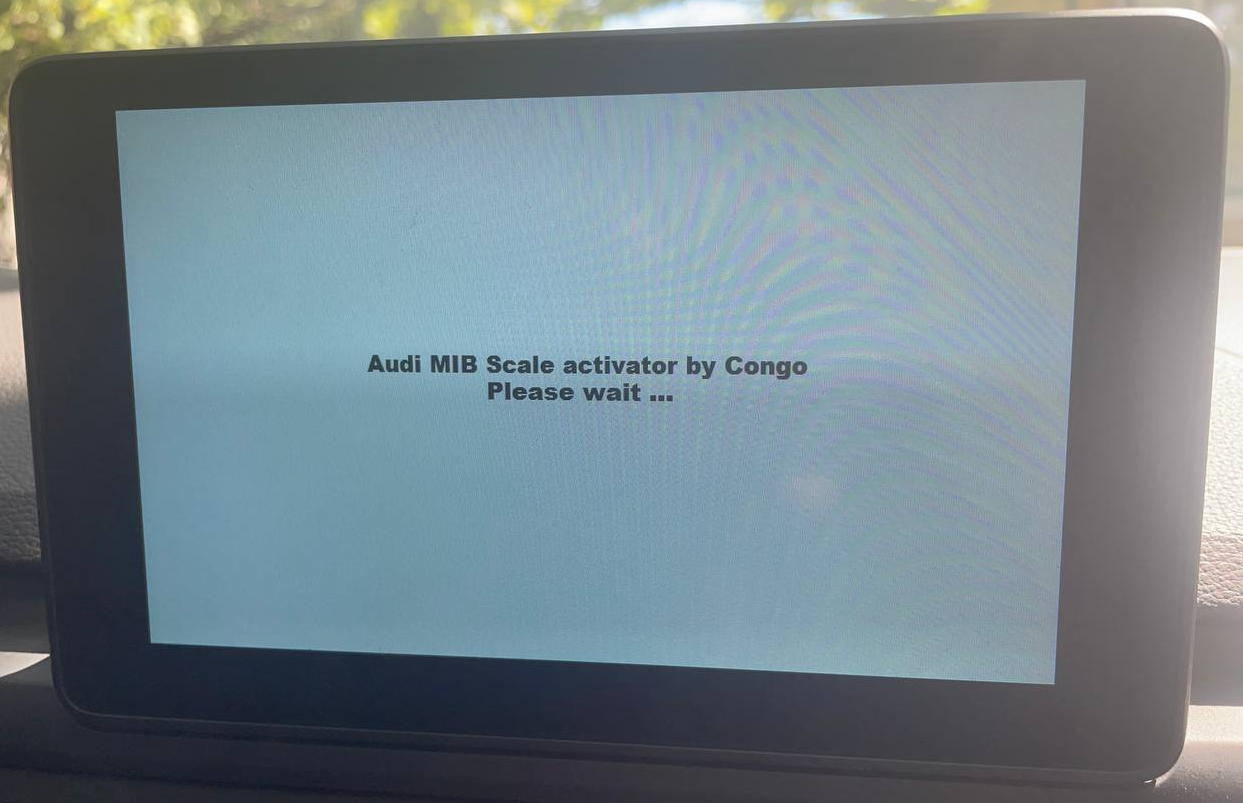
- It may take up to 5 minutes and MIB can reboot. Just wait for green screen with the "completed successsully" message:

Shortly after this, MIB will automatically reboot one more time.
GOOD TO KNOW! Sometimes it may happen that you do not see the green screen. Then just remove SD card, insert into laptop and check log.txt. It should contain something like:
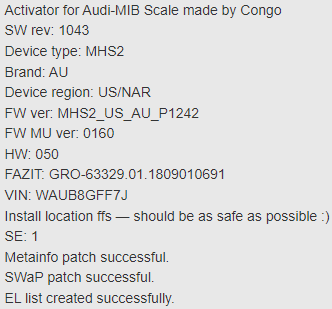
You can also check "Activation keys" list in the RED menu to see something like this: 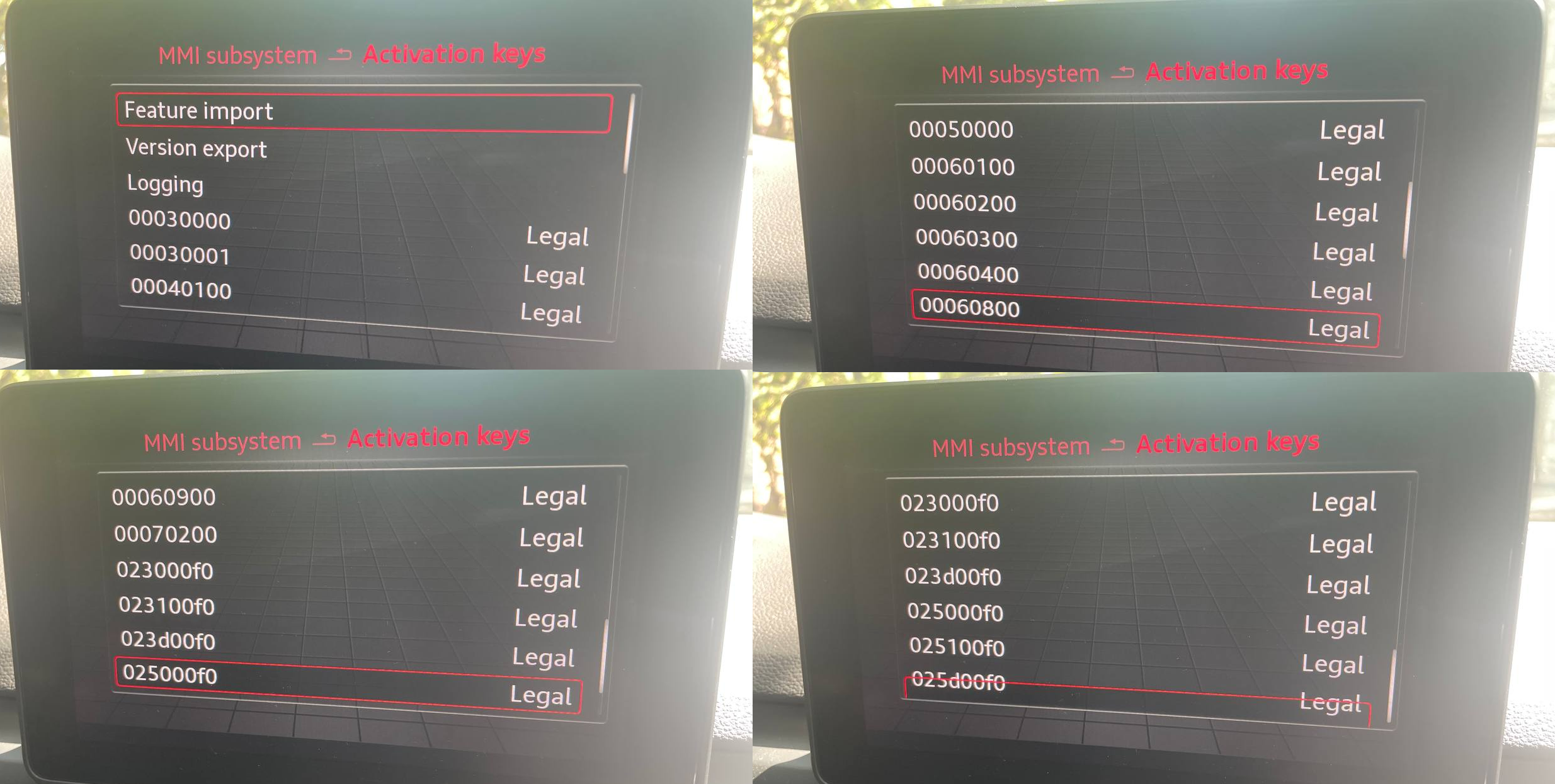
Coding and adaptation change in block 5F
:::info Activator enables navigation functionality so all you need is just to change coding and adaptations by using your favourite OBD2 diagnostic t
:::
GPS navigation
5F → Long Coding → Byte: 03 → 01=EU region
5F → Long Coding → Byte: 24 → Bit: 2 → enable navigation function
5F → Long Coding → Byte: 24 → Bit: 6 → enable to show road signs
GPS maps on dashboard
5F → Adaptation → dashboard display configuration → navigation_map_transmission_mode → MOST_Streaming
5F → Adaptation → dashboard display configuration → navigation_map_compression_mode → H264
5F → Adaptation → dashboard display configuration → navigation_map_Resolution → resolution_1
Audi Smartphone Interface
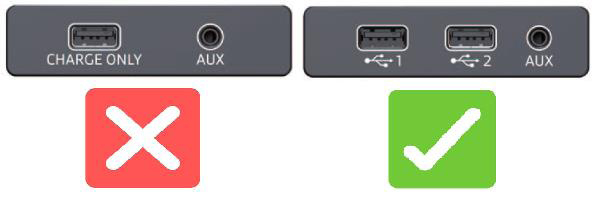
5F → Long Coding → Byte: 19 → Bits: 6-7 → enable Audi Smartphone compatible USB port
5F → Adaptation → vehicle configuration → Apple DIO → enable CarPlay
5F → Adaptation → vehicle configuration → Google GAL → enable Android Auto
:::info Audi Smartphone (CarPlay+Android Auto) will only work when proper USB hub is installed
:::
Old dlphi.sh scripts for the learning purposes
MHS2 MU0129 SDCard auto patch.7z
MHS2 MU2035 SDCard auto patch.7z
Reference & additional information
https://www.a5oc.com/threads/mhs2-navigation-and-firmware-updates-currently-2022-2023.178538/
SD card patch for MU0235 old script details.
https://www.digital-eliteboard.com/threads/delphi-audi-a4-a3-mhs2-patchen-patches-scripts-android-auto-apple-carplay-map-update-solution.493931/post-3987683