PC/Laptop network settings
\ Change your network settings:
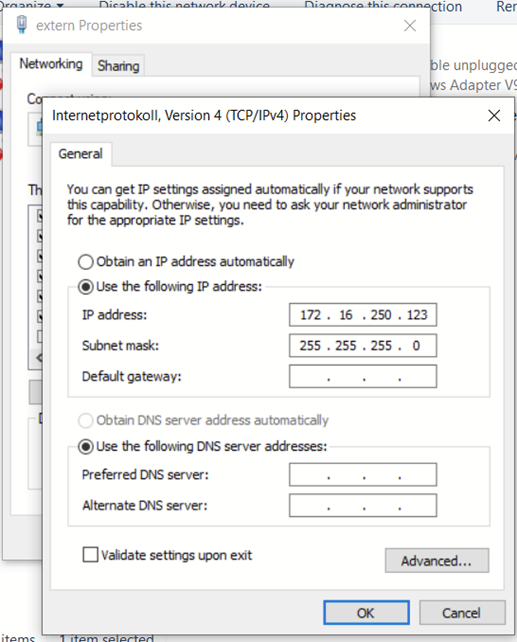
Network and Internet -> Change adapter settings -> Local Area Connection Properties -> Properties -> Check and choose "Properties" on: Internet Protocol Version 4 (TCP/IPv4).
The following IPv4 settings are required on the PC you want to use to connect to the MIB2 unit:
· IP Address: 172.16.250.123
· Subnet Mask: 255.255.255.0