V850 programming after chip replacement
:::info Tested on MHIG and MHI2 Harman and should work everywhere where V850 is used.
:::
You will need:
FT232 TTL adapter and Renesas Flash Programmer V2.05.03
Alternatively: Orange5 with it's own software
Make the connection:
- On the unit side you can make the connection directly to the chip or find test pads on the board with a multimeter:
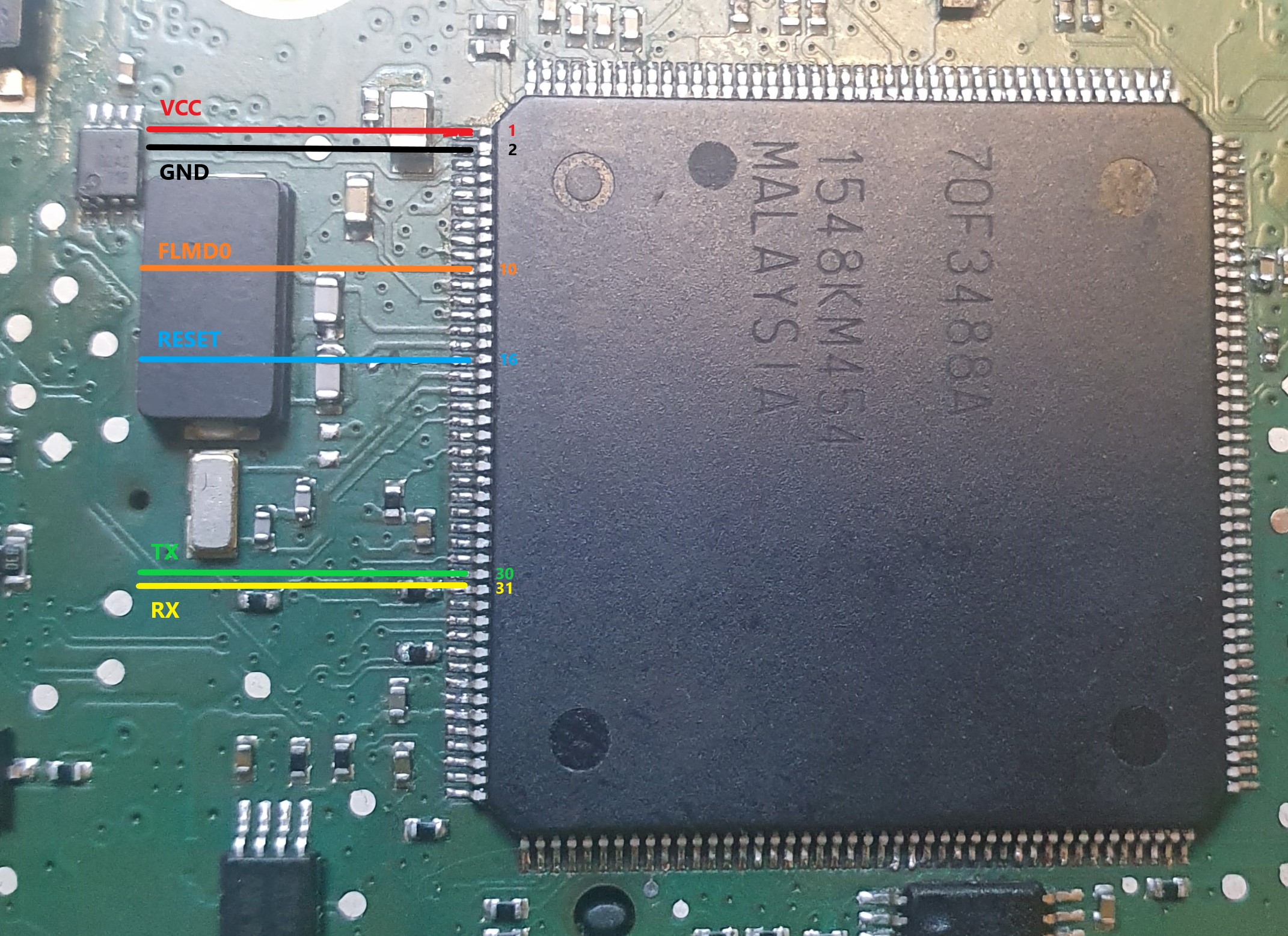
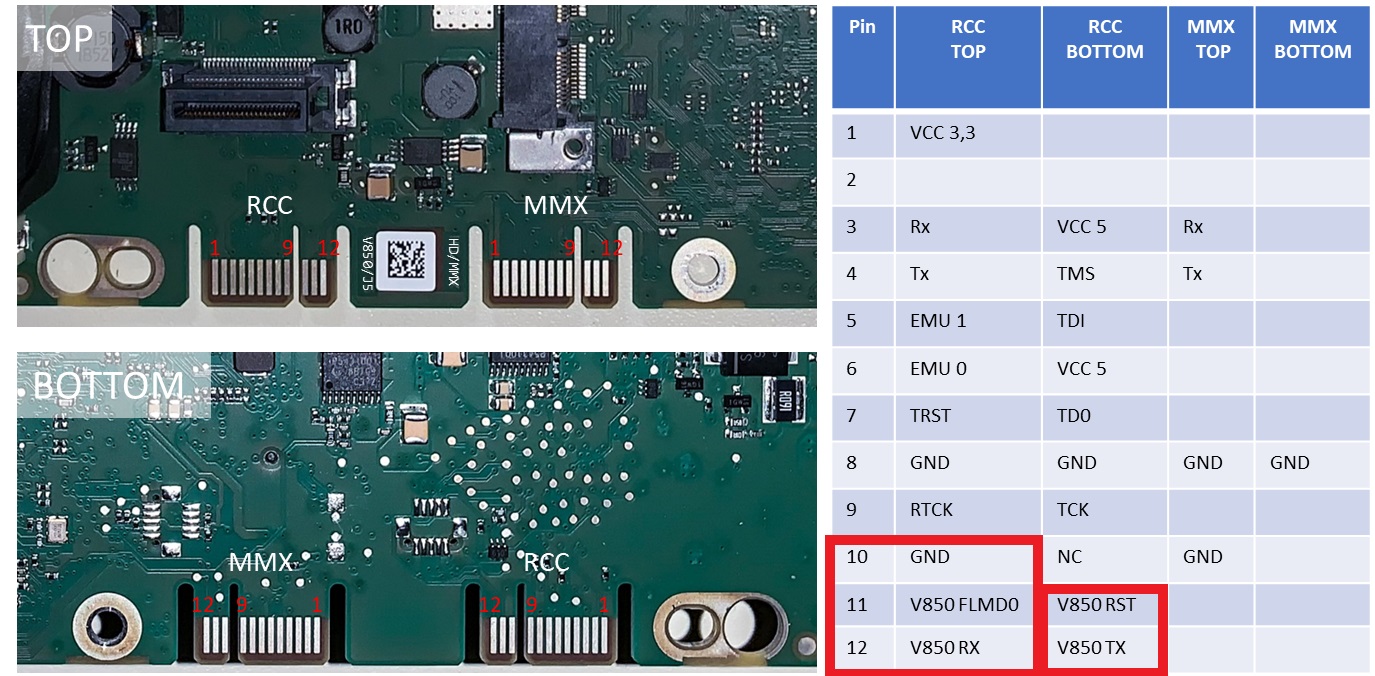
:::info Some MHI2 (like JP AUG22) do not have V850 RST on the 24 pin connector. Use multimeter to find the test pads on the motherboard and directly solder there
:::
- On the FT232 TTL adapter side:
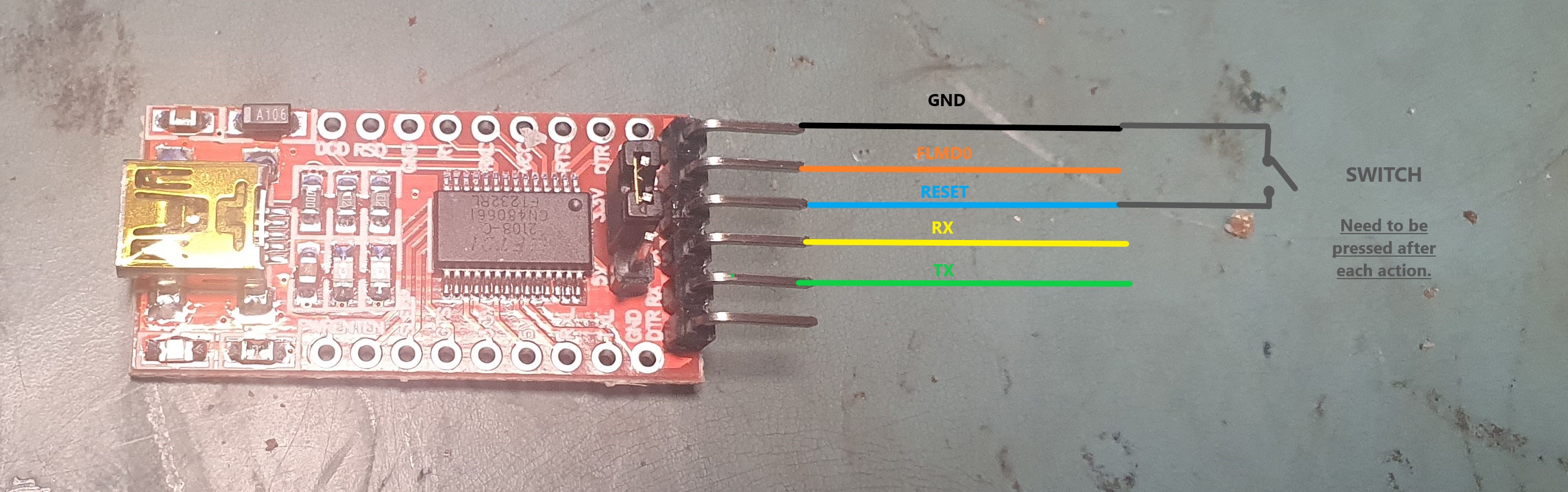
On the photo above, ft232 adapter has following pinout(from top to the bottom): \npin1=GND, pin2=CTS, pin3=VCC/3,3V, pin4=TX, pin5=RX.
pin2 (CTS) supplies 3,3V to FLMD0 that forces V850 to go into flash programming mode when you power on the unit via quadlock. By other words unit will stay powered off as long as FLMD0 is in high state.
:::info Switch/button must be pressed after each action you do in the flashing software, like READ, WRITE, BLANK, SECURITY
WARNING! Do NOT use pin3 of ft232 as RESET and FLMD0 at the same time as the press of the switch will reset the ft232 adapter as well!
:::
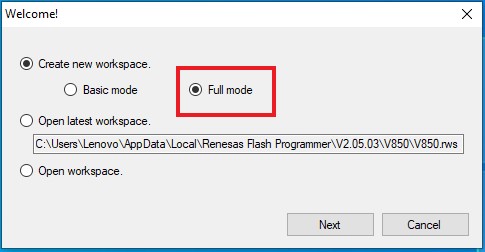
Power on the unit via quadlock, run Renesas Flash Programmer V2.05.03 and use following settings:
- Full mode:
 * Select chip:
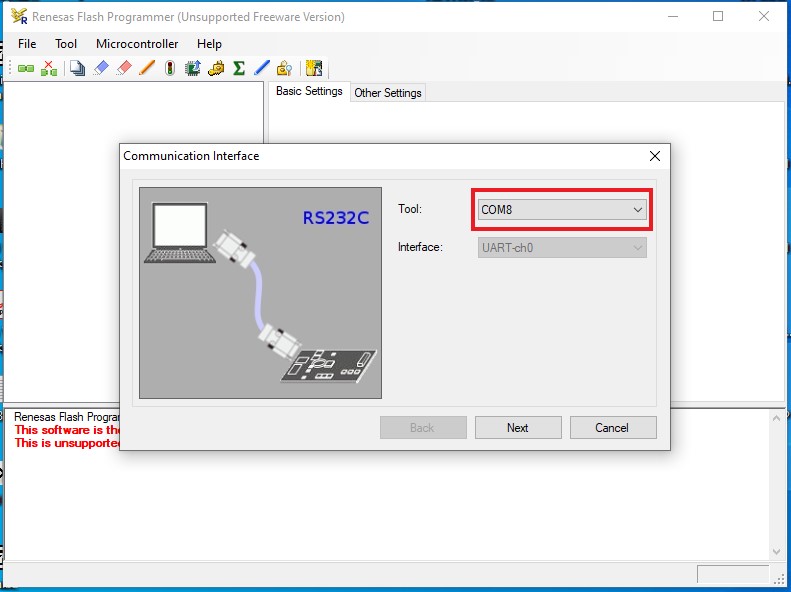
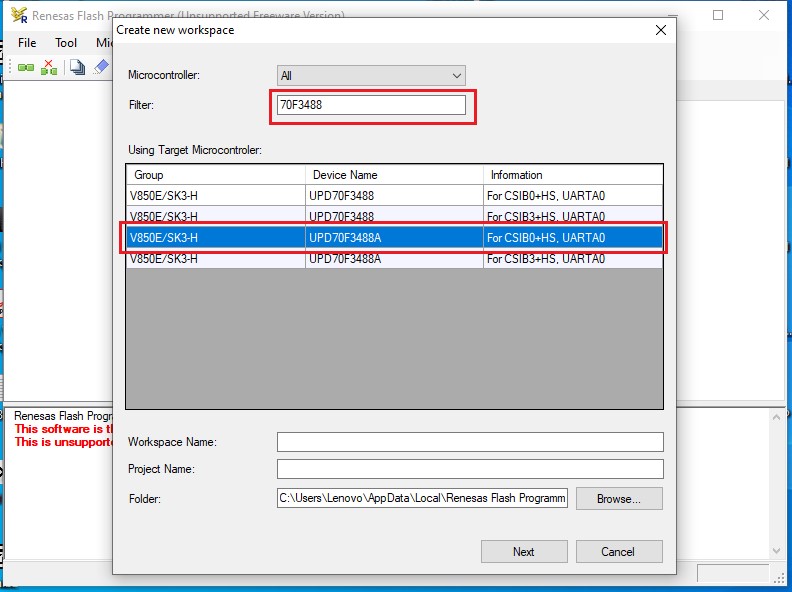 * Select COM port (check in Windows Device Manager):
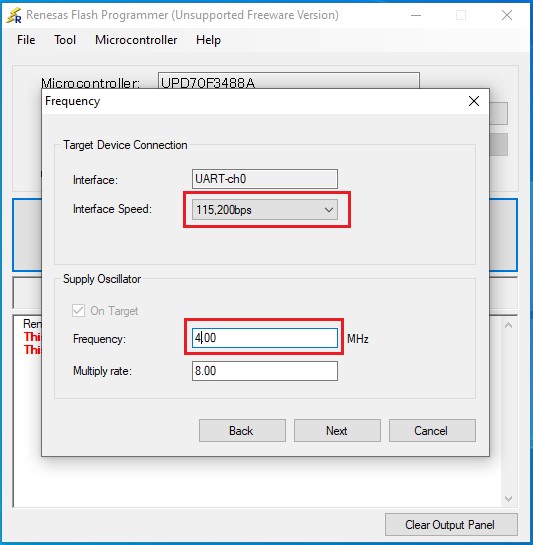
 * Interface Speed 115,200bps, Frequency (4.00Mhz):
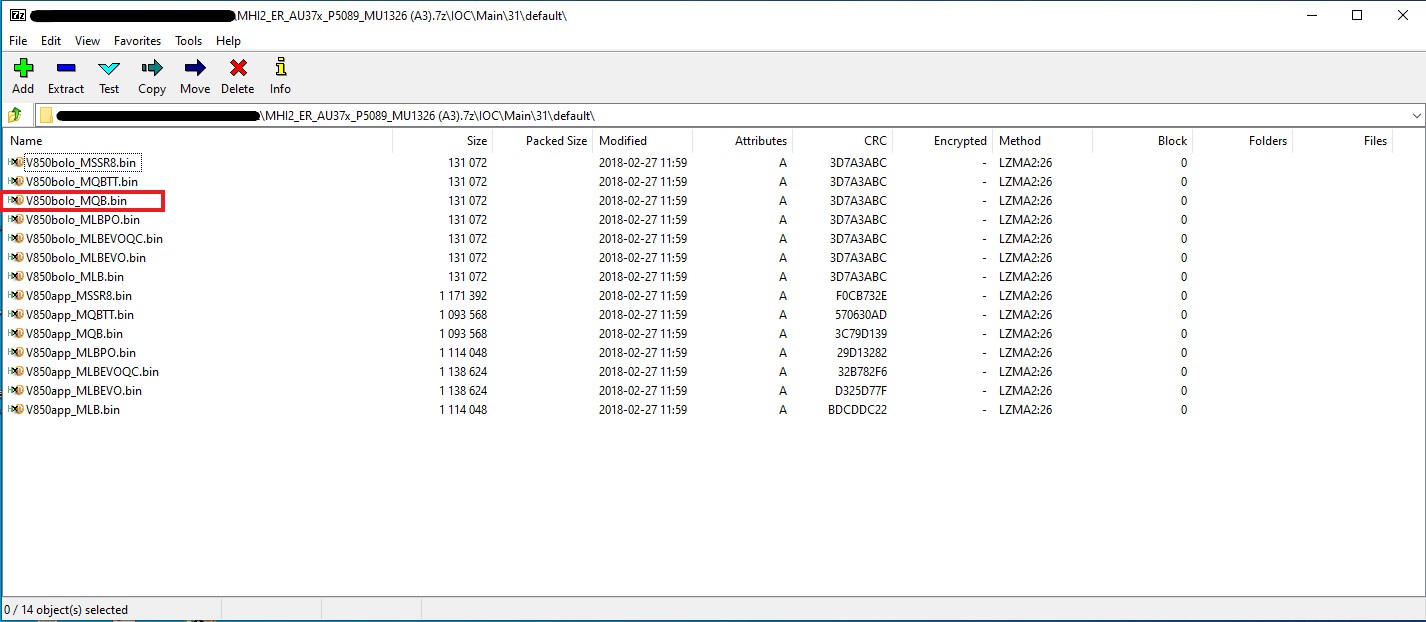
Select V850bolo_MQB.bin:
After you flashed the bolo, power on the unit, and update IOC App manually or run a full firmware update from SD card