Delphi 02xx to 08xx firmware upgrade
:::tip TDLR; Modify InstallationManager to include device variant for chosen firmware, run SWDL
:::
:::info Credit: IvanMusk https://www.drive2.ru/l/575748544720274648/
:::
Disclaimer:
/Only 02XX MST2 NAV could be upgraded to 08xx in this way otherwise you will brick your unit !
If you are updating your MST2 NAV from 06xx to 08xx, you must do it with the metainfo2.txt way. Search for the instructions, this article does not cover it.
Enable Telnet Access
Using D-Link Ethernet Adapter, you will need to enable Ethernet connection in the Developer Menu, and have a working connection using a Telnet application such as Putty
Backup Script
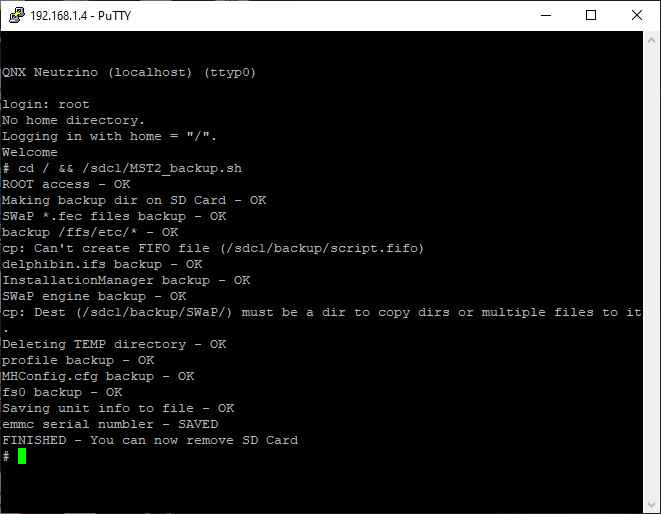
With the Delphi scripts from https://mibsolution.one, use the MST2_backup.sh script to create a backup of the unit, most importantly the InstallationManager file.
\
Understanding Device Variant
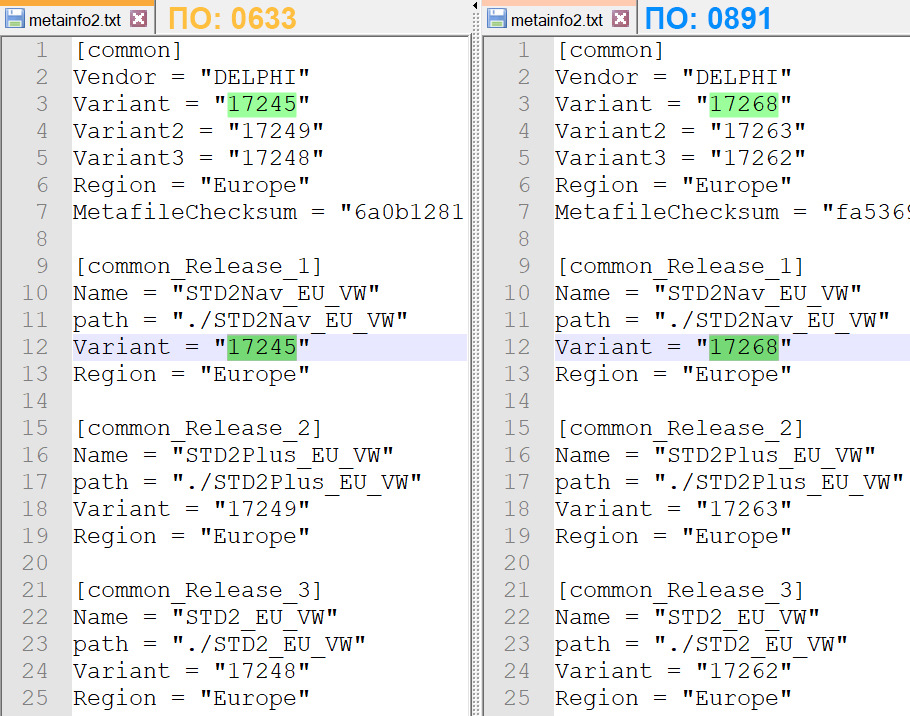
Firstly you'll need to find the Variant number from your current unit so you know what you'll need to edit. This can either be done by looking through your backup made in the step previously, or downloading your current firmware and viewing it's metainfo2.txt.
Then also do the same with the new firmware and find it's Variant so you know what to change it to.
Modifying InstallationManager
You'll need a hex editor tool such as HxD in order to open your InstallationManager file and make the required edits. Use Find & Replace to find your existing device variant, and replace it with the variant from your chosen firmware.
Replace InstallationManager
Now you have your modified InstallationManager file, place it on your SD Card in the root directory and use the MST2_US2EU.sh script which will copy it to the unit.
:::warning It's more than likely that you could get an Out of Space error. If this happens, your unit will fail to boot but will still be accessible over Telnet to retry or restore backup.
:::
Begin SWDL
Once you've successfully transferred your modified InstallationManager, immediately enable Manual SWDL mode and proceed with the update
:::warning Another warning, it's advised to proceed with the update as soon as possible, otherwise you may be set to Emergency Update mode.
:::
Complete
:::info If updating to 8xx, you may be stuck as the boot logo once the update has completed, this is due to an invalid skin being chosen in your long coding. Therefore adjust your skin value on byte 17/18
:::