Displaymanager - dmdt
How are the display outputs on MHI2 units handled?
Some 1st findings
/eso/bin/apps/displaymanager
use does not provide any output

/eso/bin/apps/dmdt
Debug Tool for DisplayManager
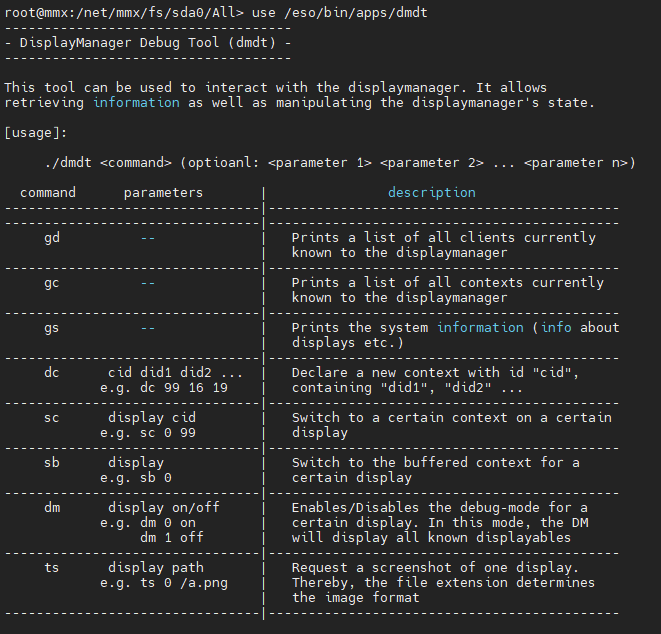
dm 0 on
upper left corner image is the main screen, also changes with pressing of buttons on unit
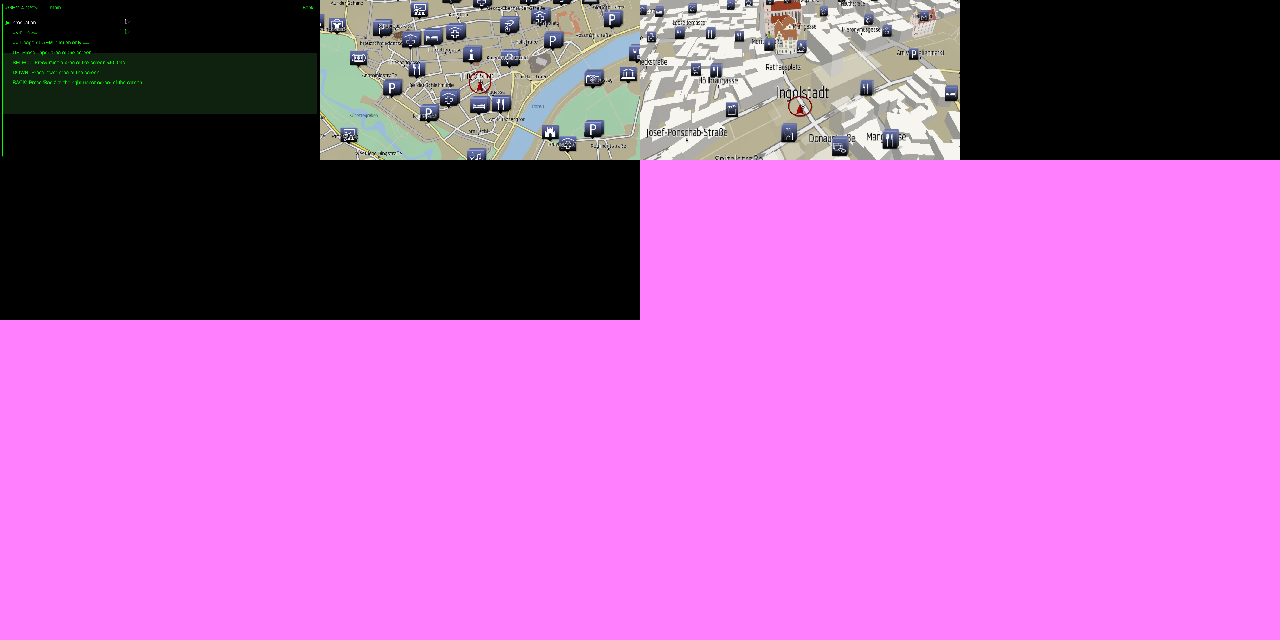
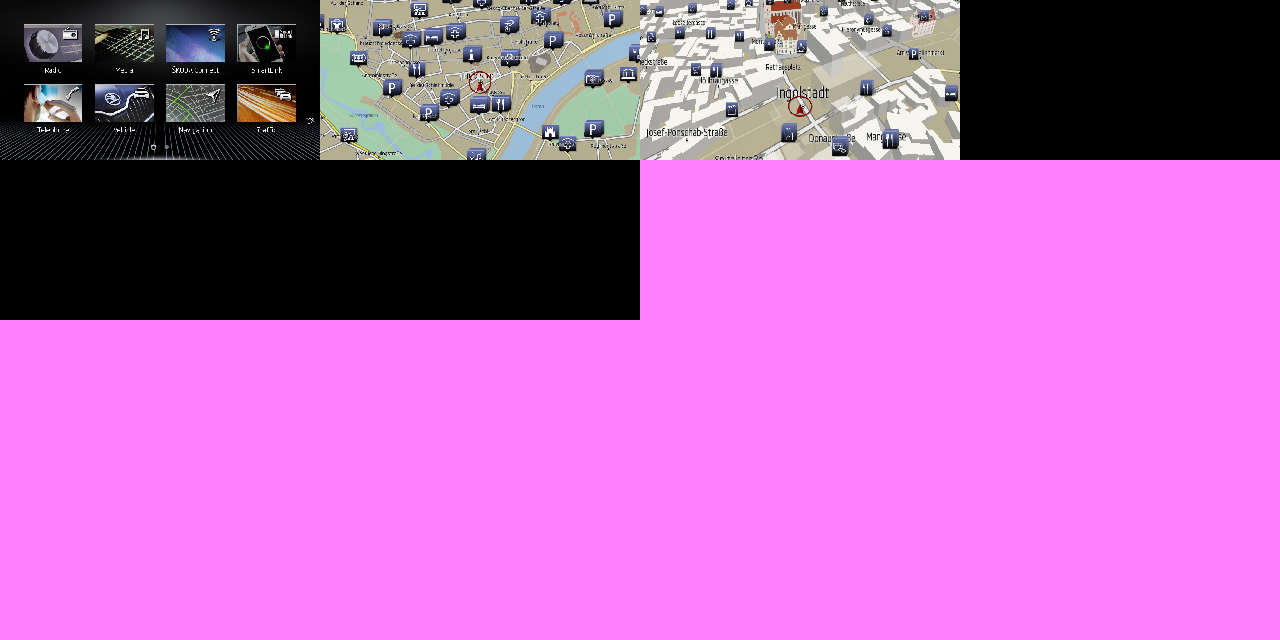
dmdt dm 0 off
switches back to normal menu display
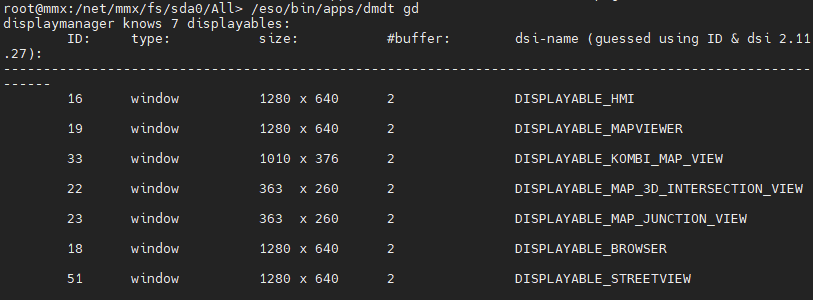
dmdt gd
List of available outputs and their resolutions
dmdt gc
root@mmx:/net/mmx/fs/sda0/All> /eso/bin/apps/dmdt gc
displaymanager knows 32 contexts:
        ID:     flags:
-----------------------------------
        -8    | 1    | NONE
        -----------------------------------
                -123 (--)

        -1    | 1    | NONE
        -----------------------------------
                -666 (--)

        -2    | 1    | NONE
        -----------------------------------
                17 (DISPLAYABLE_REAR_VIEW_CAM)

        -3    | 7    | PERSISTENT | REDRAW
        -----------------------------------
                51 (DISPLAYABLE_STREETVIEW)
                18 (DISPLAYABLE_BROWSER)
                23 (DISPLAYABLE_MAP_JUNCTION_VIEW)
                22 (DISPLAYABLE_MAP_3D_INTERSECTION_VIEW)
                33 (DISPLAYABLE_KOMBI_MAP_VIEW)
                19 (DISPLAYABLE_MAPVIEWER)
                16 (DISPLAYABLE_HMI)

        -4    | 1    | PERSISTENT
        -----------------------------------
                47 (DISPLAYABLE_FBAS_1)

        -5    | 1    | PERSISTENT
        -----------------------------------
                48 (DISPLAYABLE_FBAS_2)

        -6    | 1    | PERSISTENT
        -----------------------------------
                49 (DISPLAYABLE_FBAS_3)

        -10   | 1    | PERSISTENT
        -----------------------------------
                -125 (--)

        -7    | 1    | PERSISTENT
        -----------------------------------
                -124 (--)

        -9    | 1    | PERSISTENT | REDRAW | RELAYOUT
        -----------------------------------
                -2 (--)

        0     | 1    | NONE
        -----------------------------------
                16 (DISPLAYABLE_HMI)

        1     | 2    | NONE
        -----------------------------------
                16 (DISPLAYABLE_HMI)
                19 (DISPLAYABLE_MAPVIEWER)

        2     | 2    | NONE
        -----------------------------------
                16 (DISPLAYABLE_HMI)
                27 (DISPLAYABLE_AMI)

        3     | 2    | NONE
        -----------------------------------
                16 (DISPLAYABLE_HMI)
                17 (DISPLAYABLE_REAR_VIEW_CAM)

        5     | 3    | NONE
        -----------------------------------
                16 (DISPLAYABLE_HMI)
                50 (DISPLAYABLE_MAP_IN_MAP)
                19 (DISPLAYABLE_MAPVIEWER)

        6     | 3    | NONE
        -----------------------------------
                16 (DISPLAYABLE_HMI)
                22 (DISPLAYABLE_MAP_3D_INTERSECTION_VIEW)
                19 (DISPLAYABLE_MAPVIEWER)

        7     | 3    | NONE
        -----------------------------------
                16 (DISPLAYABLE_HMI)
                23 (DISPLAYABLE_MAP_JUNCTION_VIEW)
                19 (DISPLAYABLE_MAPVIEWER)

        8     | 2    | NONE
        -----------------------------------
                16 (DISPLAYABLE_HMI)
                43 (DISPLAYABLE_DIGITAL_VIDEOPLAYER_1)

        9     | 2    | NONE
        -----------------------------------
                16 (DISPLAYABLE_HMI)
                18 (DISPLAYABLE_BROWSER)

        17    | 2    | NONE
        -----------------------------------
                16 (DISPLAYABLE_HMI)
                56 (DISPLAYABLE_MIRRORLINK)

        18    | 2    | NONE
        -----------------------------------
                16 (DISPLAYABLE_HMI)
                51 (DISPLAYABLE_STREETVIEW)

        19    | 2    | NONE
        -----------------------------------
                16 (DISPLAYABLE_HMI)
                39 (DISPLAYABLE_GOOGLE_EARTH)

        20    | 3    | NONE
        -----------------------------------
                16 (DISPLAYABLE_HMI)
                50 (DISPLAYABLE_MAP_IN_MAP)
                39 (DISPLAYABLE_GOOGLE_EARTH)

        21    | 3    | NONE
        -----------------------------------
                16 (DISPLAYABLE_HMI)
                22 (DISPLAYABLE_MAP_3D_INTERSECTION_VIEW)
                39 (DISPLAYABLE_GOOGLE_EARTH)

        22    | 3    | NONE
        -----------------------------------
                16 (DISPLAYABLE_HMI)
                23 (DISPLAYABLE_MAP_JUNCTION_VIEW)
                39 (DISPLAYABLE_GOOGLE_EARTH)

        12    | 2    | NONE
        -----------------------------------
                16 (DISPLAYABLE_HMI)
                26 (DISPLAYABLE_TV_TUNER)

        13    | 2    | NONE
        -----------------------------------
                16 (DISPLAYABLE_HMI)
                31 (DISPLAYABLE_TV_VIDEOTEXT)

        14    | 2    | NONE
        -----------------------------------
                16 (DISPLAYABLE_HMI)
                29 (DISPLAYABLE_TV_AUX1)

        70    | 1    | NONE
        -----------------------------------
                33 (DISPLAYABLE_KOMBI_MAP_VIEW)

        71    | 2    | NONE
        -----------------------------------
                16 (DISPLAYABLE_HMI)
                59 (DISPLAYABLE_EXTERNAL_SMARTPHONE)

        26    | 2    | NONE
        -----------------------------------
                16 (DISPLAYABLE_HMI)
                23 (DISPLAYABLE_MAP_JUNCTION_VIEW)

        27    | 2    | NONE
        -----------------------------------
                16 (DISPLAYABLE_HMI)
                22 (DISPLAYABLE_MAP_3D_INTERSECTION_VIEW)
dmdt gs
With just internal MIB main screen (G13 9.2''):
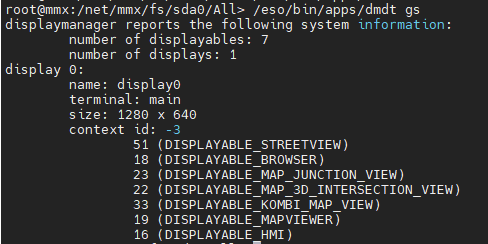
with MIB main screen (G13 9.2'') and VC connected:
root@mmx:/mnt/app/root> export LD_LIBRARY_PATH=$LD_LIBRARY_PATH:/mnt/app/armle/usr/lib:/eso/lib:/mnt/app/root/lib-target:/eso/production
root@mmx:/mnt/app/root> /eso/bin/apps/dmdt gs
displaymanager reports the following system information:
 number of displayables: 7
 number of displays: 2
display 0:
 name: display0
 terminal: main
 size: 1280 x 640
 context id: 1
  16 (DISPLAYABLE_HMI)
  19 (DISPLAYABLE_MAPVIEWER)
display 1:
 name: <error>
 terminal: <error>
 size: 0 x 0
 context id: 70
  33 (DISPLAYABLE_KOMBI_MAP_VIEW)
VC is listed as display 1 with no seize (0x0)
However, test have shown, that VC seems to be also refereced by display 4
which allows for certain manipulation based on the commands below.
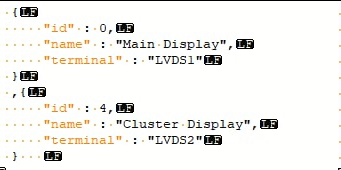
dmdt dc
more testing needed
dmdt sc
| Command | screen |
|---|---|
| /eso/bin/apps/dmdt sc 0 70 | VC map |
| /eso/bin/apps/dmdt sc 0 71 | Smartphone |
| /eso/bin/apps/dmdt sc 4 -9 | mirror screenshow to VC |
Other combinations did not work for me - either nothing happens or screen goes black
If stuck on black/purple screen, it can be recovered with dmdt sb 0
VC map output
3rd screen from the upper left is the VC map view
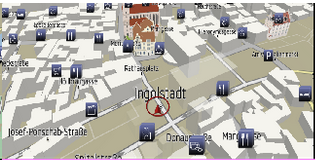

Take screenshots via console command
Screenshot from main screen on Unit:
/eso/bin/apps/dmdt ts 0 /net/mmx/fs/sda0/b.png
vom_debugtool
/eso/bin/apps/vom_debugtool
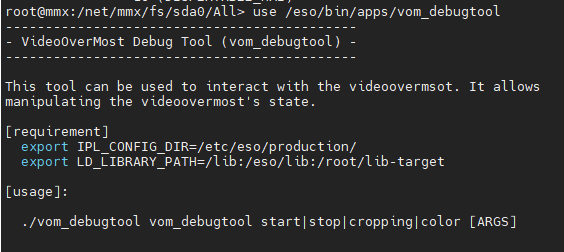
Functions have to be tested.
There are some more ascii strings to explain start command in binary
Screenshow - picture on unit
using the script below *.png/bmp/jpg/gif/tga can be displayed on screen
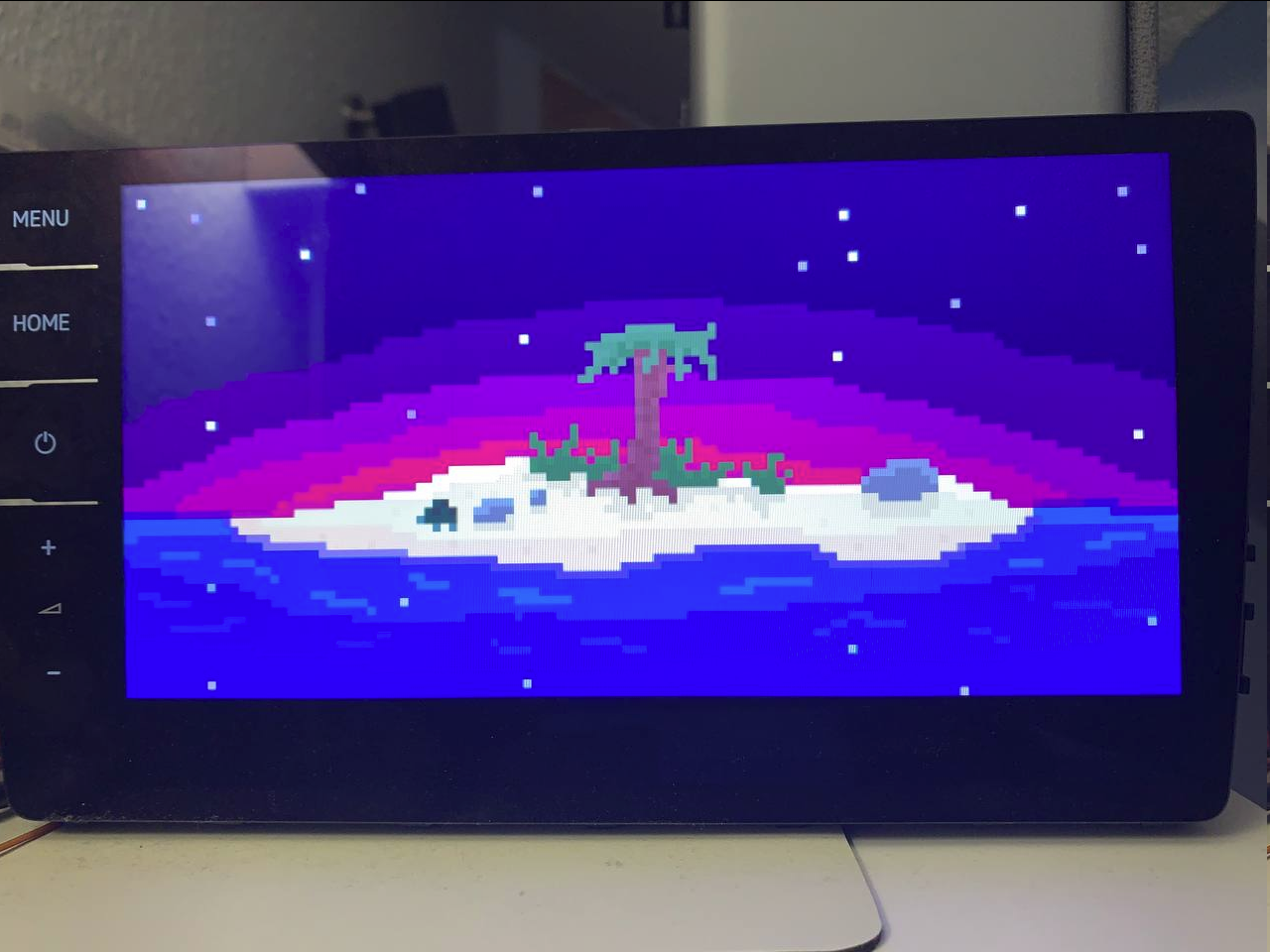
Animated gifs are not working
echo "displaying ${1}"

export LIBIMG_CFGFILE=/etc/imgprocessing.cfg
LD_LIBRARY_PATH=/eso/lib:/armle/lib:/root/lib-target:/armle/lib/dll /eso/bin/apps/loadandshowimage ${1}&

#try to figure out if the broker is running as a signal that the framework is available
if pidin | grep -v grep | grep broker > /dev/null
then
    LD_LIBRARY_PATH=/eso/lib:/armle/lib:/root/lib-target IPL_CONFIG_DIR=/etc/eso/production /eso/bin/apps/dmdt sc 0 -9
    echo "press any key to continue..."
    read ASD
    LD_LIBRARY_PATH=/eso/lib:/armle/lib:/root/lib-target /eso/bin/apps/loadandshowimage 1 2 3 4 5

    LD_LIBRARY_PATH=/eso/lib:/armle/lib:/root/lib-target IPL_CONFIG_DIR=/etc/eso/production /eso/bin/apps/dmdt sb 0
else
    echo "press any key to continue..."
    read ASD
    LD_LIBRARY_PATH=/eso/lib:/armle/lib:/root/lib-target /eso/bin/apps/loadandshowimage 1 2 3 4 5
fi

Fom loadandshowimage binary
mime=image/png
ext=png
[img_codec_bmp.so]
mime=image/bmp
ext=bmp
[img_codec_gif.so]
mime=image/gif
ext=gif
[img_codec_jpg.so]
mime=image/jpg:image/jpeg
ext=jpg:jpeg
[img_codec_tga.so]
mime=image/tga
ext=tga
Android Auto screen output
AA is directly streamed as a h264 video stream from usb to screen.
In /etc/eso/production/gal.json video dump can be enabled and in /tmp files like AAPDumpVideoSink_1970-01-01_12-12-25.h264 will be crated, which can be converted to mp4 and viewed in vlc etc - recording a full screen view of everything that happens:
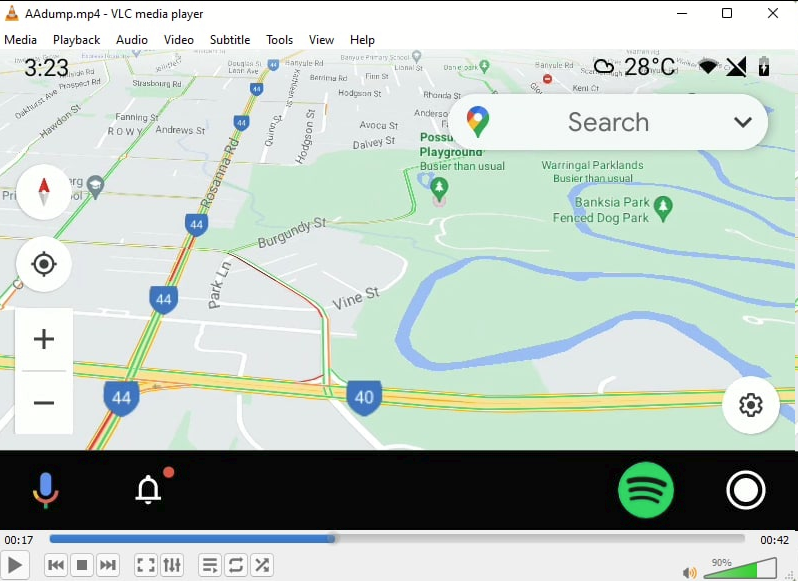
Due to this video streamin dmdt sc and also screenshots do not have any effect as its seems.
MHIG
showscreen.sh
echo "displaying ${1}"

export LIBIMG_CFGFILE=/etc/config/img.conf
LD_LIBRARY_PATH=/eso/lib:/armle/lib:/root/lib-target:/armle/lib/dll /eso/bin/apps/loadandshowimage ${1}&

#try to figure out if the broker is running as a signal that the framework is available
if pidin | grep -v grep | grep broker > /dev/null
then
    LD_LIBRARY_PATH=/eso/lib:/armle/lib:/root/lib-target IPL_CONFIG_DIR=/etc/eso/production /eso/bin/apps/DMRCClient -mv 99
    LD_LIBRARY_PATH=/eso/lib:/armle/lib:/root/lib-target IPL_CONFIG_DIR=/etc/eso/production /eso/bin/apps/DMRCClient -mv 99
    LD_LIBRARY_PATH=/eso/lib:/armle/lib:/root/lib-target IPL_CONFIG_DIR=/etc/eso/production /eso/bin/apps/DMRCClient -mv 99
    echo "press any key to continue..."
    read ASD
    LD_LIBRARY_PATH=/eso/lib:/armle/lib:/root/lib-target /eso/bin/apps/loadandshowimage 1 2 3 4 5

    LD_LIBRARY_PATH=/eso/lib:/armle/lib:/root/lib-target IPL_CONFIG_DIR=/etc/eso/production /eso/bin/apps/DMRCClient -mv
else
    echo "press any key to continue..."
    read ASD
    LD_LIBRARY_PATH=/eso/lib:/armle/lib:/root/lib-target /eso/bin/apps/loadandshowimage 1 2 3 4 5
fi
/eso/bin/apps/displaymanager
use does not provide any output
/eso/bin/apps/DMRClient
DisplayManager Remote Control Tool
---Usage Information---
use: ./DMRCClient <cmd> <parameter 0> <parameter 1> ... <parameter n>

list of available commands:
<cmd>                   description
----------------------------------------

-gcs
                        prints a list of all contexts currently known to the DM

-gc <contextID>
                        prints a list of all dispalyables associated with one specific context

-gd
                        prints a list of all displayables currently known to the DM

-mv (opt: <displayableID 0> ... <displayableID n>)
                        activates multiview with the given list of displayables. If no list is provided MV is deactivated

-dm <true/false>
                        activates or deactivates the debugmode

-cl <true/false>
                        activates or deactivates the contextless-rendering-mode

-dc <contextID> <displayableID 0> ... <displayableID n>
                        declares a new context with the provided ID containing the list of given displayables

-sc <contextID>
                        switches to one specific context

-ts <filename>
                        take a screenshot which will be stored in <filename>