Replacing files with the patched ones
If MIB STD2 Toolbox does not support live patching of your unit, you can patch files manually yourself and upload them back to unit with the toolbox.
Procedure
- Make sure you have installed the latest version of the toolbox from here: https://github.com/olli991/mib-std2-pq-zr-toolbox.
:::info Details about Technisat MIB STD2 Toolbox installation.
:::
- Place the external file (for example patched SWDL app) in the proper
customdirectory on the Toolbox SD card. - Turn on infotainment, place the SD card in
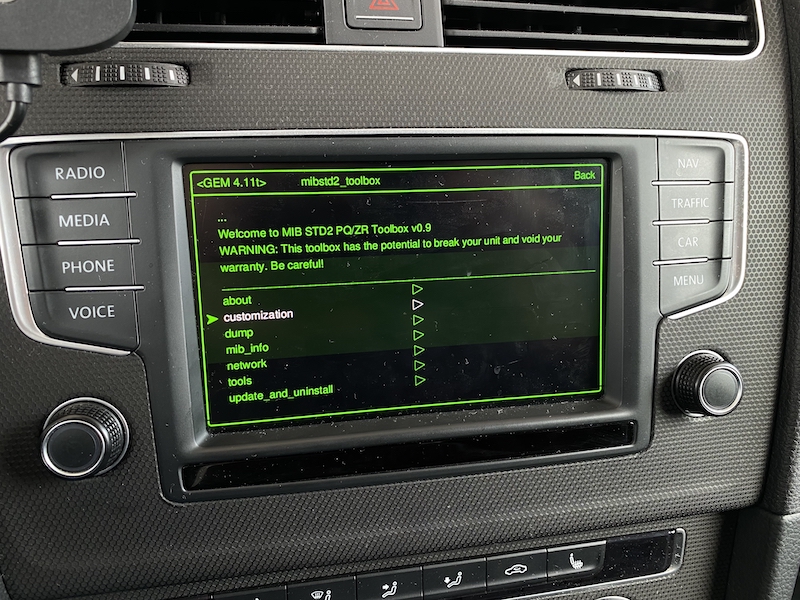
SD1port. - Enter the Toolbox.
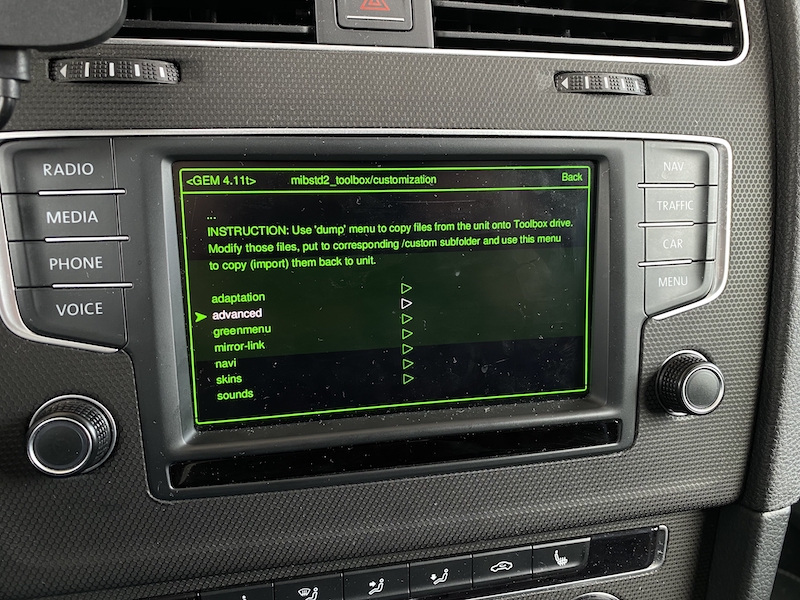
- Go to
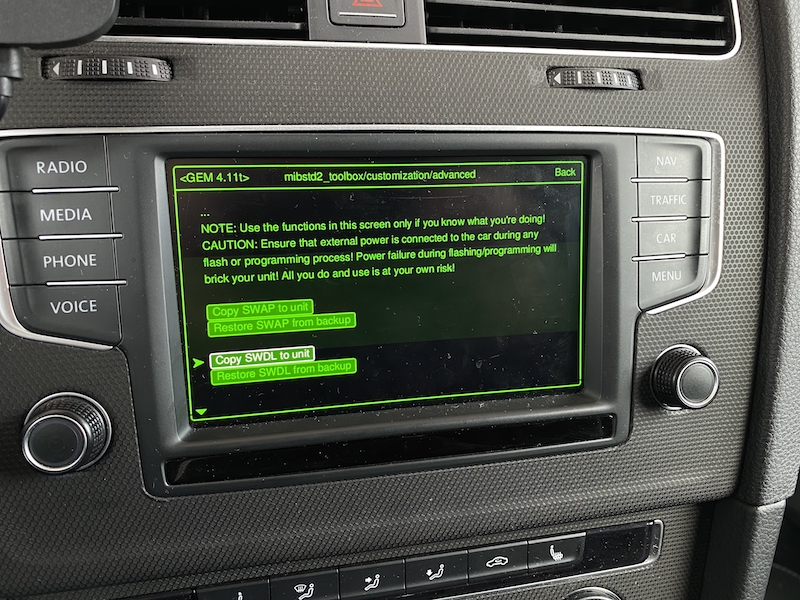
customizationand find option to copy your external file (for exampleadvanced,Copy SWDL to unit). - Toolbox will make a backup copy of the original file from unit and will save it to the SD card. Next it will replace the original file in the unit with the custom one.
- Reboot the unit. Check Key combinations and shortcuts to learn how to reboot your unit.
Example with inserting externally patched SWDL app
 |
 |
 |
|---|---|---|